وردك WrdkWrdk وردك
ختمة القرآن قراءةً واستماعًا، بورد يومي وتذكيرات بعد الصلوات
Complete the Quran by reading or listening, with a daily wird and reminders after prayers
جرّب النسخة التجريبية عبر TestFlightTry the beta on TestFlightمجاني، بلا إعلانات ولا حسابات. لأجهزة iPhone بنظام iOS 17 أو أحدث.
Free, no ads, no accounts. For iPhone with iOS 17 or later.
الفكرةThe idea
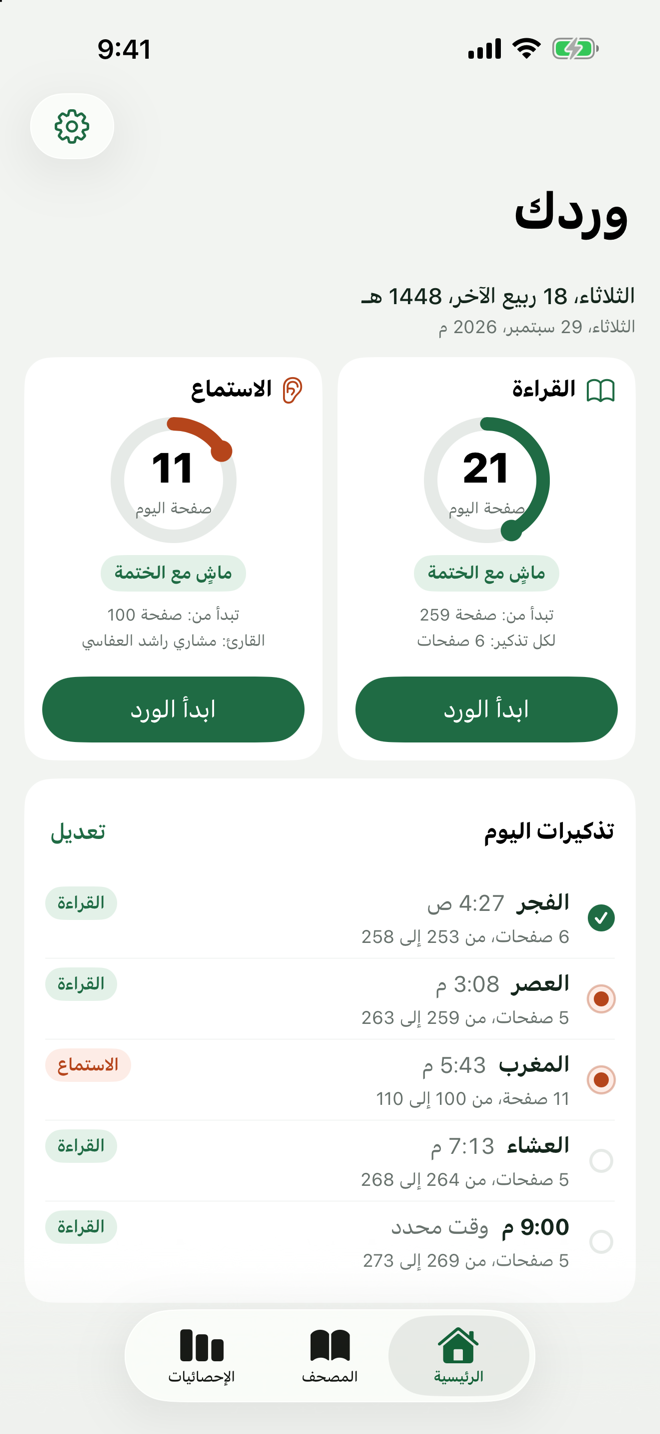
اختر طريقة ختمتك: قراءةً من مصحف المدينة، أو استماعًا لقارئك المفضّل، أو الاثنتين معًا في ختمتين مستقلتين. حدّد مدة الختمة، فيحسب التطبيق وردك اليومي بالصفحات.
اختر الصلوات التي تريد التذكير بعدها، فيوزّع وردك عليها بمواقيت أم القرى المحسوبة على جهازك، أو في أوقات ثابتة تحددها. ومع كل ورد تُنجزه يتابع تقدّمك ويخبرك: ماشٍ مع الختمة، أو متقدّم، أو متأخر بكم ورد.
- مجاني
- بلا إعلانات
- بلا حسابات
- بياناتك على جهازك
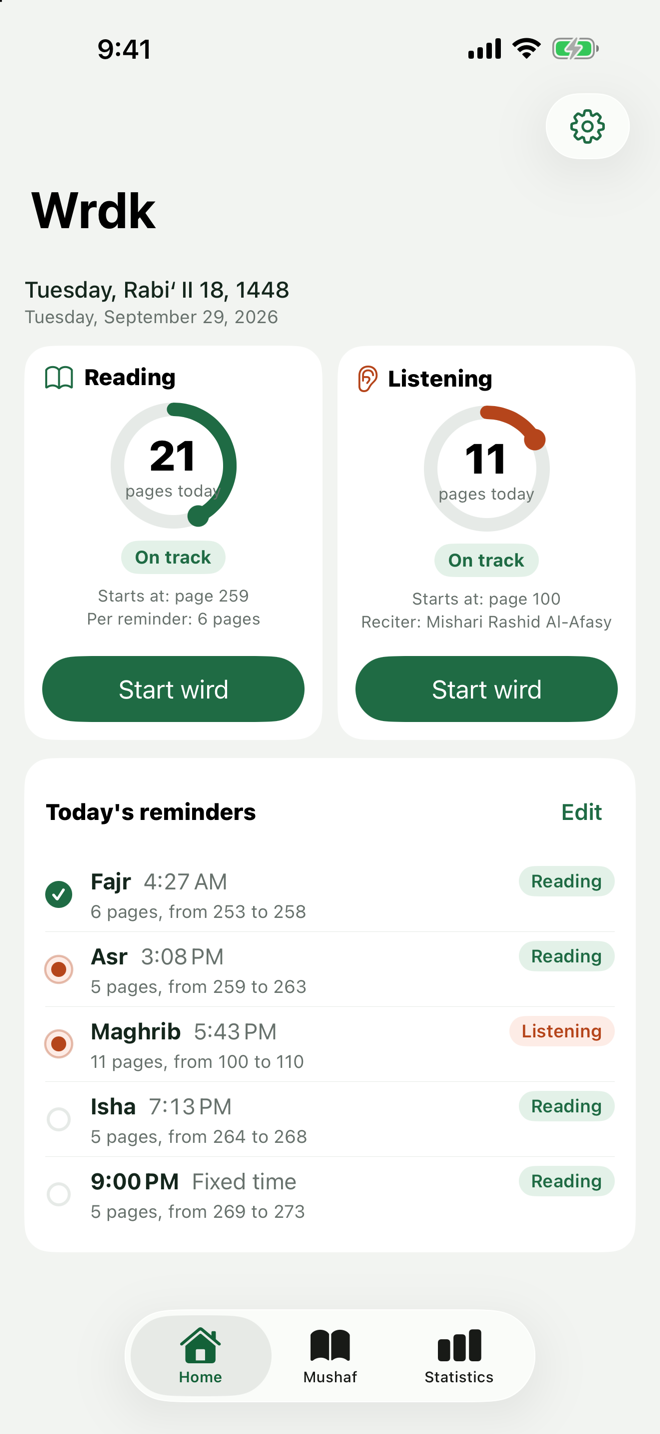
Choose how you complete the Quran: reading the Madinah Mushaf, listening to your favourite reciter, or both as two separate khatmahs. Pick a duration and the app works out your daily wird in pages.
Pick the prayers you want to be reminded after and your wird is split across them, using Umm al-Qura prayer times computed on your device, or fixed times you set. Every wird you finish updates your progress and tells you where you stand: on track, ahead, or behind by a number of wirds.
- Free
- No ads
- No accounts
- Your data stays on your device
المزاياFeatures
مصحف المدينة بخط المجمعThe Madinah Mushaf
صفحات المصحف كما طبعها مجمع الملك فهد، بخطوط QCF4، في العرض العمودي والأفقي.
The pages as printed by the King Fahd Complex, set in the QCF4 fonts, in portrait and landscape.
الاستماعListening
تلاوة قارئك مع تمييز الآية الجارية على صفحة المصحف، وتشغيل في الخلفية، وتحميل مسبق لورد اليوم والغد.
Your reciter with the current verse highlighted on the Mushaf page, background playback, and today's and tomorrow's wird downloaded ahead.
الورد اليومي والتعويض عند التأخرDaily wird and catching up
وردك محسوب من مدة الختمة. إن تأخرت أخبرك بكم ورد، وتابع بورد إضافي حتى تلحق.
Your wird comes from the duration you chose. Fall behind and it tells you by how many wirds; continue with an extra wird to catch up.
تذكيرات بعد الصلواتReminders after prayers
بمواقيت أم القرى المحسوبة على جهازك أو في أوقات ثابتة، ولكل تذكير حصته من الورد.
At Umm al-Qura prayer times computed on your device, or at fixed times, each with its share of the wird.
الإحصائياتStatistics
الحروف المقروءة والمسموعة، والسلسلة الحالية والأطول، وتقويم هجري أو ميلادي لأيام الإنجاز.
Letters read and heard, current and longest streak, and a Hijri or Gregorian calendar of the days you kept up.
التفسير ومشاركة الآياتTafsir and sharing
تفسير الآية من الميسّر أو ابن كثير أو السعدي، ومشاركة الآية أو الصفحة صورةً.
Tafsir of any verse from Al-Muyassar, Ibn Kathir or As-Saadi, and share a verse or a page as an image.
لقطاتScreenshots
اسحب أفقيًا لرؤية المزيد.
Swipe sideways to see more.
الرئيسية 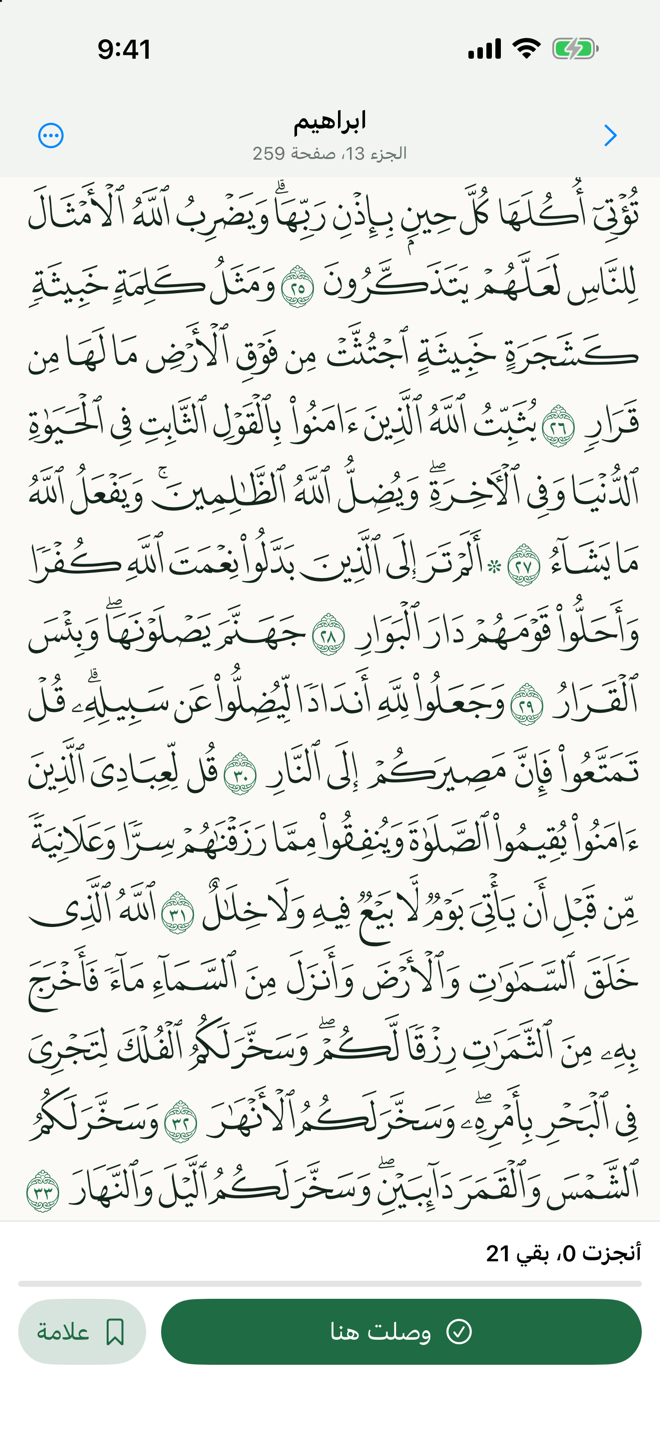
المصحف 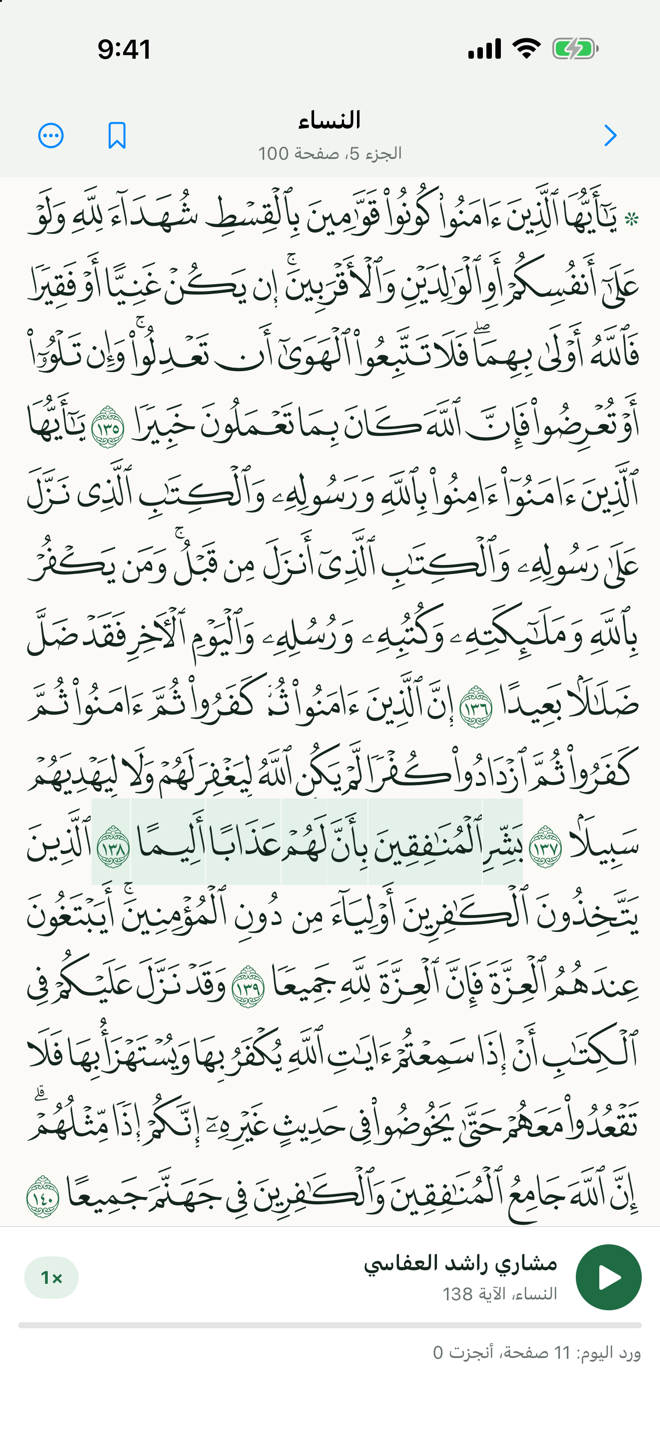
الاستماع 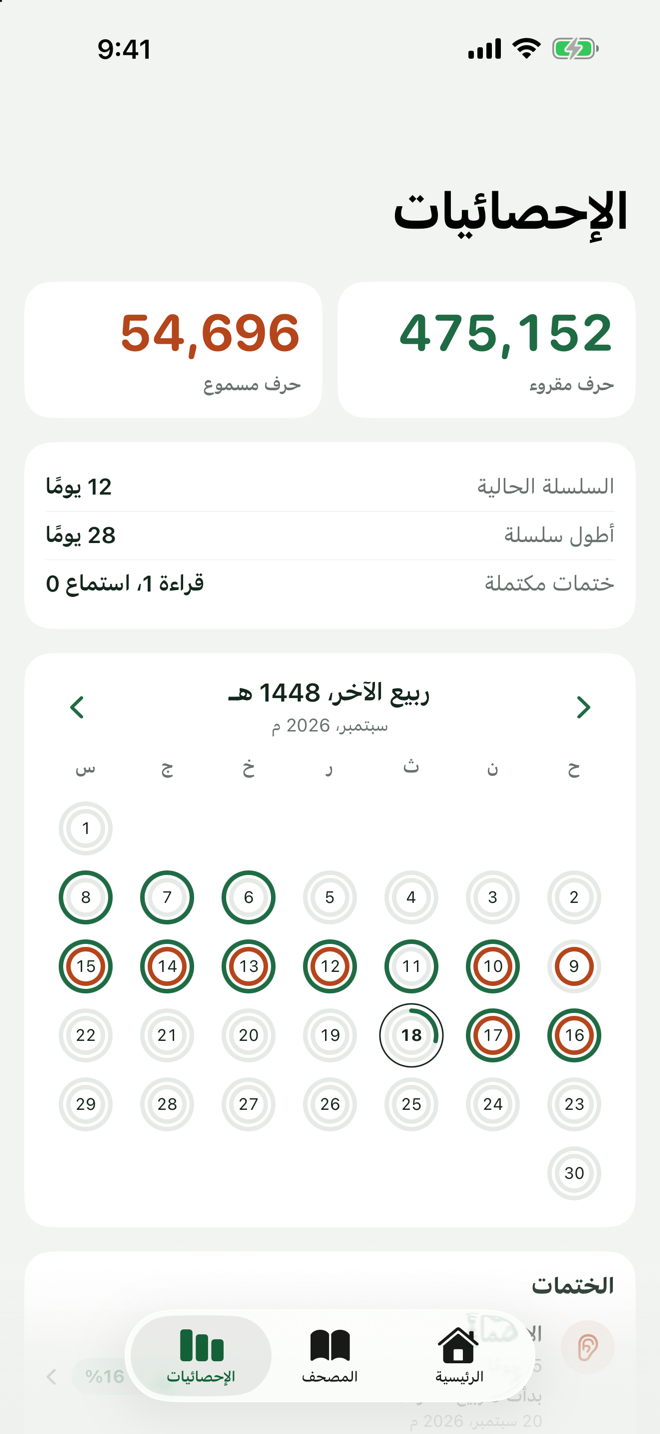
الإحصائيات 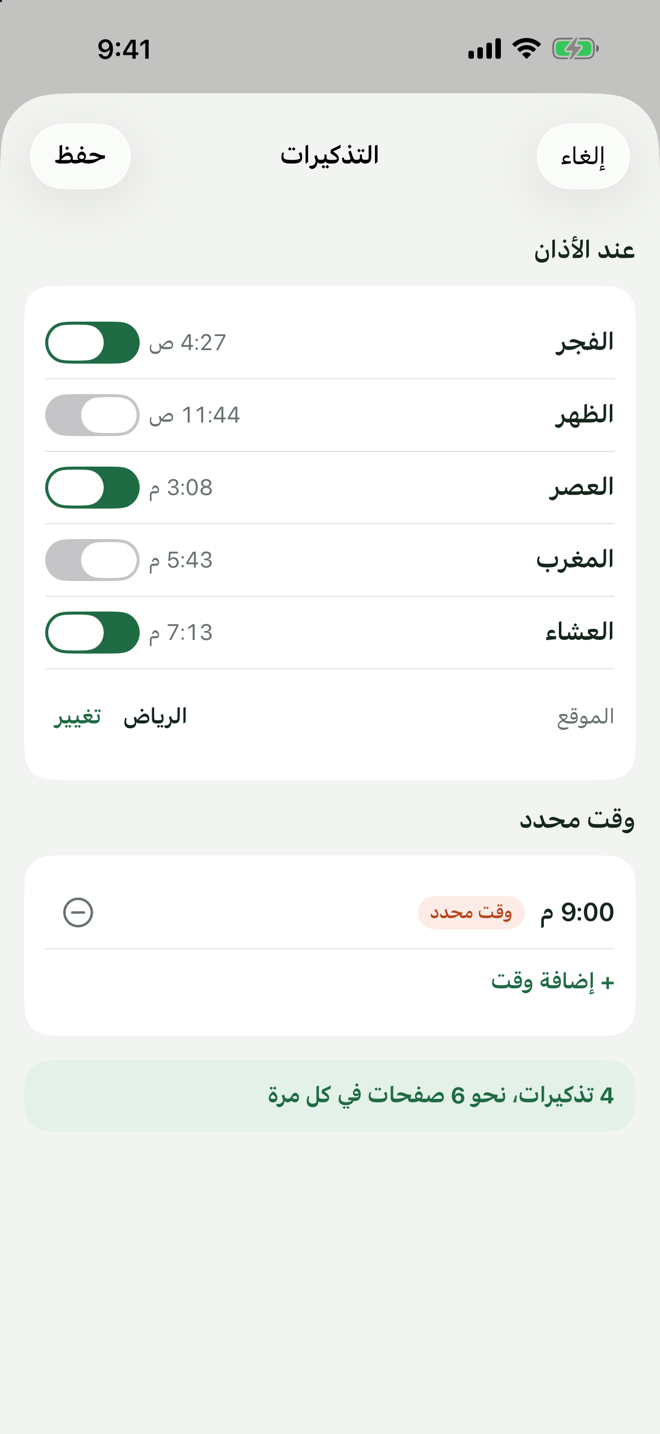
التذكيرات
Home 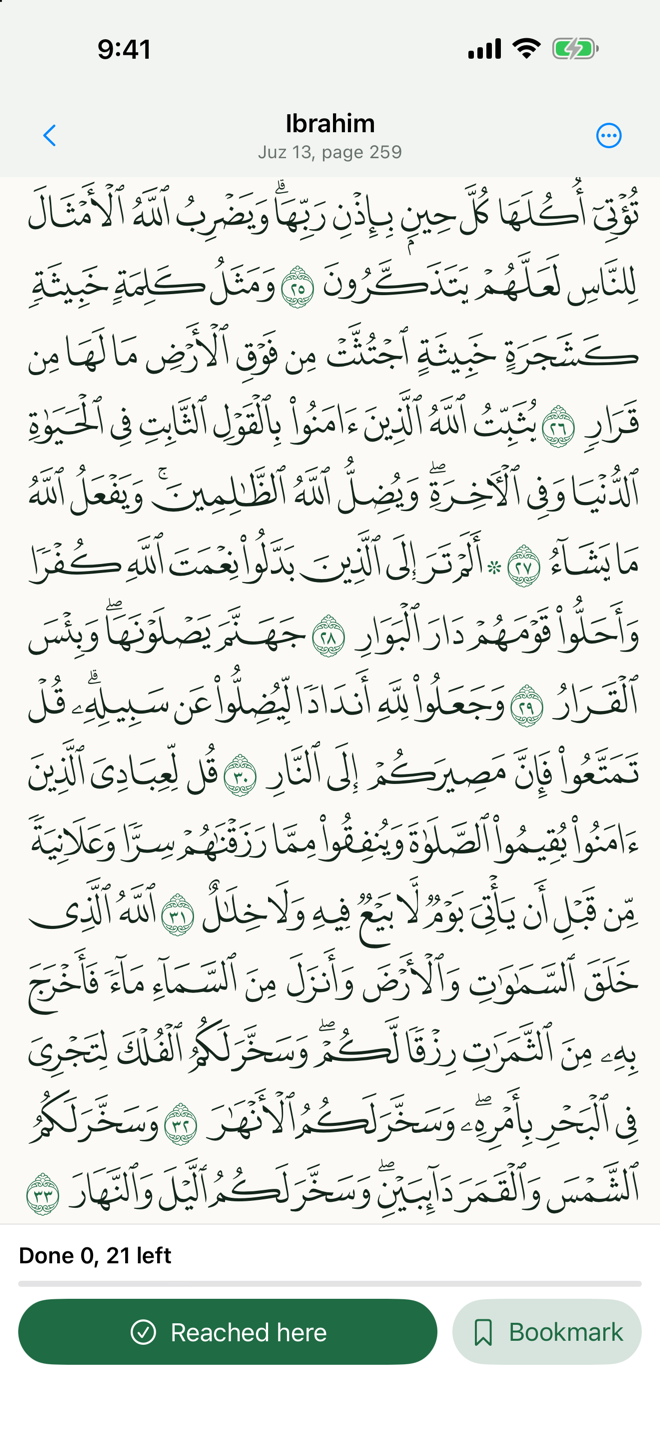
Mushaf 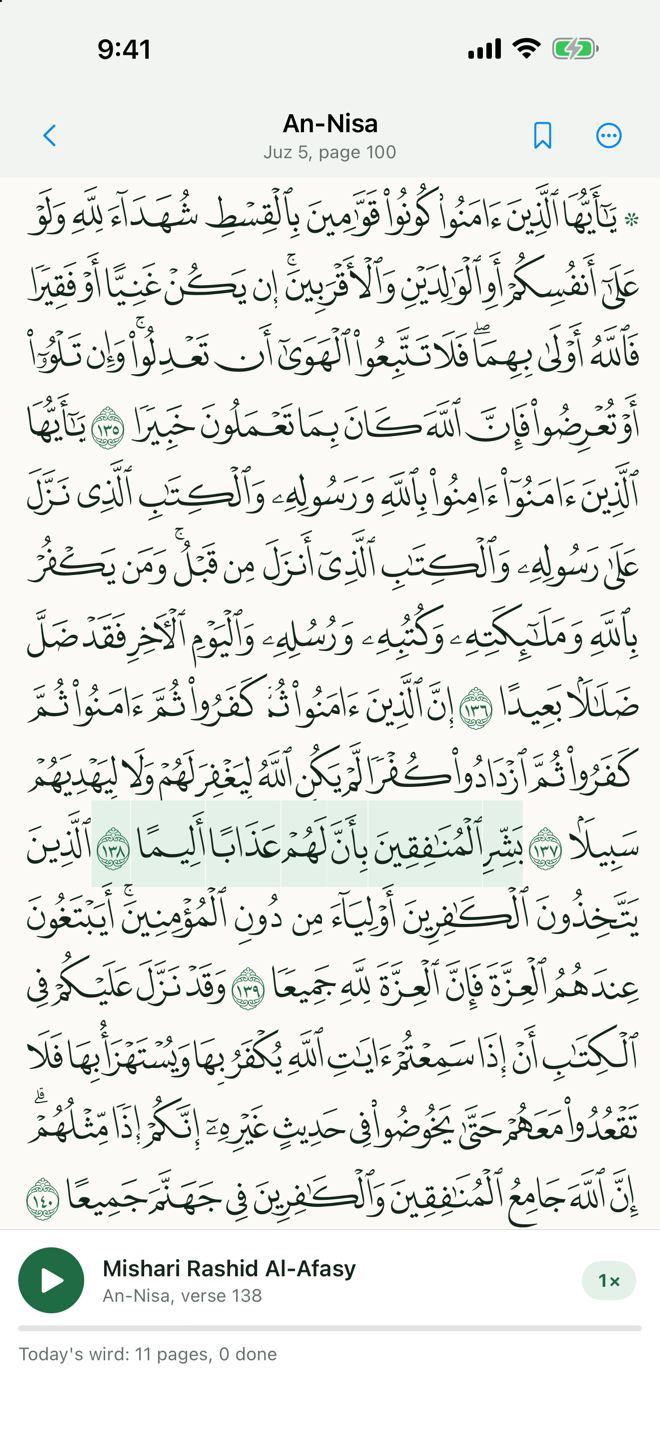
Listening 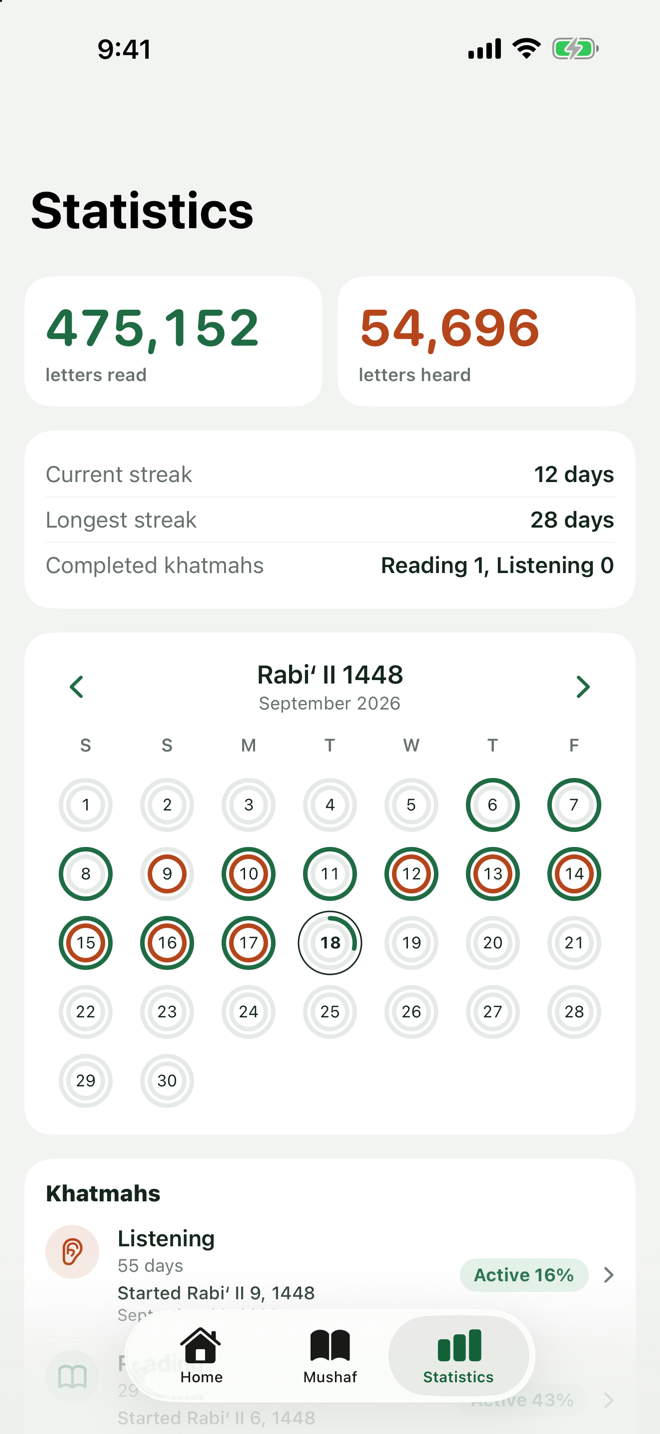
Statistics 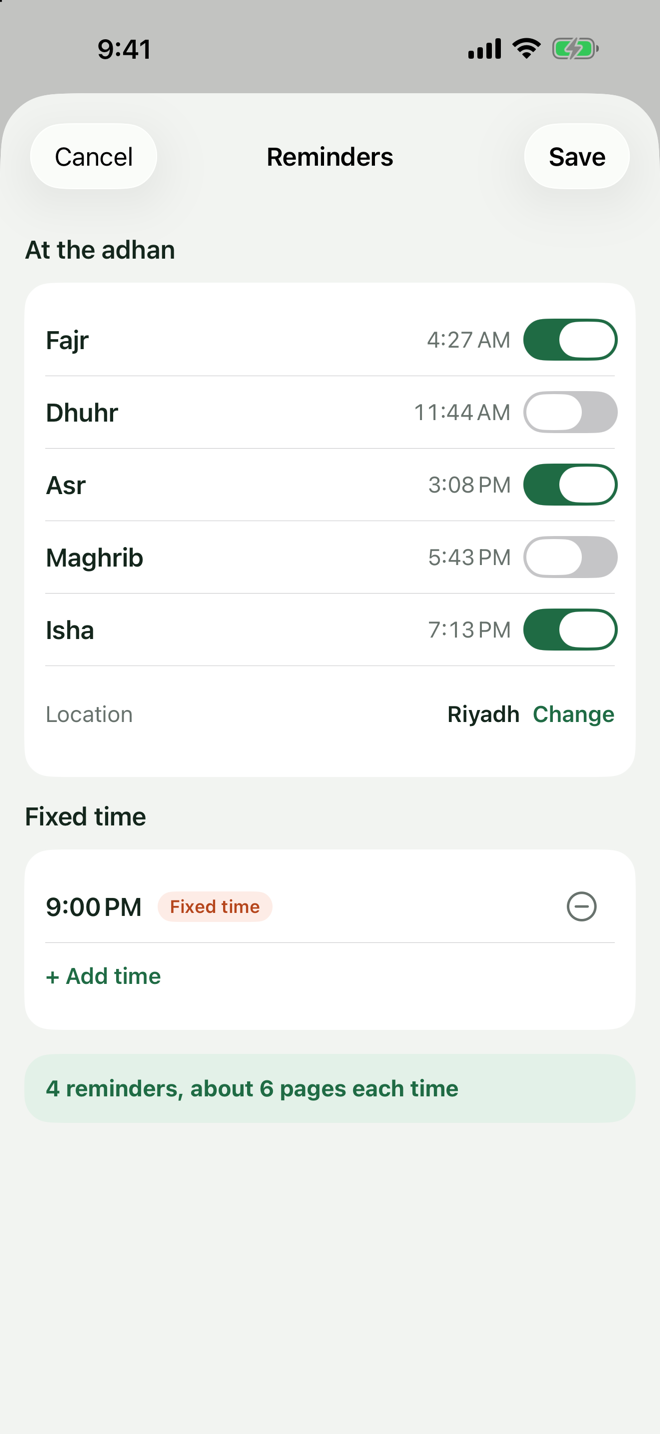
Reminders
الخصوصية والمصادرPrivacy and sources
الخصوصيةPrivacy
- لا يجمع التطبيق أي بيانات، ولا حسابات ولا إعلانات ولا أدوات تتبّع.
- يُستخدم موقعك مرة على جهازك فقط لحساب مواقيت الصلاة، ولا يُرسَل إلى أحد.
- تُبثّ التلاوات ويُجلب التفسير من Quran Foundation عند الطلب.
- ختماتك وتقدّمك وإعداداتك محفوظة على جهازك.
- The app collects no data: no accounts, no ads, no trackers.
- Your location is used once, on the device only, to compute prayer times, and is never sent anywhere.
- Recitations are streamed and tafsir is fetched from Quran Foundation on demand.
- Your khatmahs, progress and settings stay on your device.
المصادرSources
- مجمع الملك فهد لطباعة المصحف الشريفخط مصحف المدينة (QCF4).
- Quran Foundationالتلاوات وتوقيتات الآيات والتفسير.
- Adhan-Swiftحساب مواقيت الصلاة بطريقة أم القرى.
- quran-qcf4بيانات صفحات المصحف وأسطرها.
- King Fahd Complex for the Printing of the Holy QuranThe Madinah Mushaf script (QCF4).
- Quran FoundationRecitations, verse timings and tafsir.
- Adhan-SwiftPrayer times using the Umm al-Qura method.
- quran-qcf4Mushaf page and line data.
الدعمSupport
للأسئلة والاقتراحات والإبلاغ عن الأخطاء راسلنا، ونرد عليك في أقرب وقت.
Questions, suggestions and bug reports are welcome. We will get back to you as soon as we can.
تواصل معناContact
البريد: Email: info@ihabits.net
راسلنا بالبريد Email usعند الإبلاغ عن خطأ اذكرWhen reporting a bug, include
- طراز الجهاز (مثل iPhone 15).
- إصدار iOS.
- إصدار التطبيق من الإعدادات ثم «عن التطبيق».
- ما الذي فعلته، وما الذي توقعته، وما الذي حدث.
- Your device model (for example iPhone 15).
- The iOS version.
- The app version from Settings → About.
- What you did, what you expected, and what happened.
أسئلة شائعةFAQ
لا تصلني التذكيرات
اسمح بالإشعارات للتطبيق من إعدادات iOS، واضبط الموقع أو المدينة في إعدادات التذكيرات. افتح التطبيق من حين لآخر؛ فهو يعيد جدولة تذكيرات الأيام القادمة عند كل فتح.
كيف أغيّر لغة التطبيق؟
من إعدادات iOS، ثم «وردك»، ثم Language.
هل يعمل دون اتصال؟
نعم للقراءة والتذكيرات والإحصائيات. التلاوات والتفسير تحتاج اتصالًا في المرة الأولى.
أين بياناتي؟
على جهازك فقط، ولا نملك نسخة منها. التفاصيل في سياسة الخصوصية.
Reminders are not arriving
Allow notifications for the app in iOS Settings and set your location or city in the reminder settings. Open the app from time to time; it reschedules the coming days' reminders on every launch.
How do I change the app language?
iOS Settings → Wrdk → Language.
Does it work offline?
Yes for reading, reminders and statistics. Recitations and tafsir need a connection the first time.
Where is my data?
On your device only; we do not have a copy. See the privacy policy.